Prepare boundaries for the EUDR or a verifier
Get your plot boundaries ready for an EUDR due diligence statement or a carbon verifier, from the file the map gives you to the file they accept.
An EUDR due diligence statement and a carbon verifier each want your plot boundaries in their own format. Download the boundaries from the map, then check the file with a free checker before you send it.
Get the file
- All the plots of a layer, or only the filtered ones: see Download polygons from the map. Check the map before you download: a table's filter applies only to the layer that shows the same records.
- One plot: see Download your data.
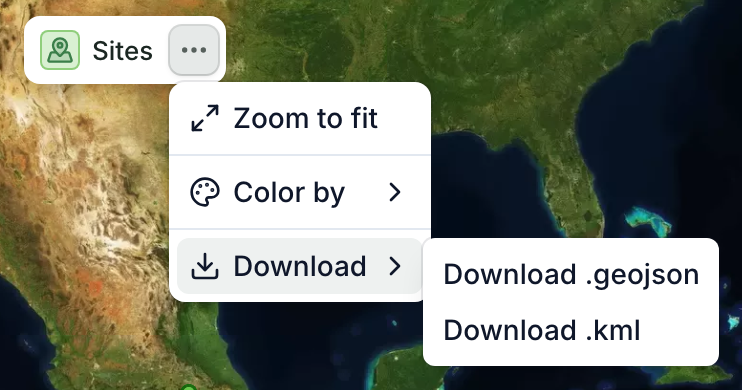
What the file holds
- .geojson: the boundaries in longitude and latitude.
- .kml: the same boundaries, for Google Earth and Verra.
In a layer download, each shape keeps its record's name and id, and some apps add other fields. A single record's file is named after the record and keeps only its id. Either way, the file carries the app's own field names, not the ones the EU or Verra asks for, so check it first.
For an EUDR due diligence statement
The EU Information System (TRACES) takes GeoJSON, with its own property names and rules.
- Download the .geojson.
- Open it in the free EUDR plot file checker.
- Read what it fixed and what you still need to fix, then download the file it gives you in the format the EU asks for.
The checker checks the file only, not deforestation or compliance.
For a carbon verifier
Verra asks for a KML file.
- Download the .kml.
- Open it in the free Verra geolocation file checker. It also rebuilds the file with the names and folders Verra expects.
If your verifier wants another format, the .geojson opens in any GIS software.
If you need a Shapefile
The app doesn't export Shapefiles. Turn the .kml into one with the free KML to shapefile converter, or open the .geojson in QGIS and export it as a Shapefile.