


What is Restoration Scope?
Restoration Scope is software for carbon and nature restoration projects. Teams connect field data, maps and operations in one system and share progress with funders.
Get full visibility on your operations,
make better decisions and reduce costs.
Fundraise with credible evidence.
Restoration Scope is software for carbon and nature restoration projects that connects each team's field data, maps and workflows in one system.


ARR carbon projects.Large-scale programmes.

Share progress and impact.Maps and portals for donors.

Record species and sites.Keep evidence connected.

Map trees and condition.Plan planting and care.

Map and trace every plot.Evidence for due diligence.
 Visit website
Ponterra needed field data to reach the back office without extra work, to scale smallholder restoration in Panama and Mexico.
 Visit website
One Acre Fund needed one clear view of 68,000+ farms across four countries, with data errors caught in real time.
 Read the case study
Acción Andina needed one record for its whole team that funders and the public could see, with no extra reporting.
 Visit website
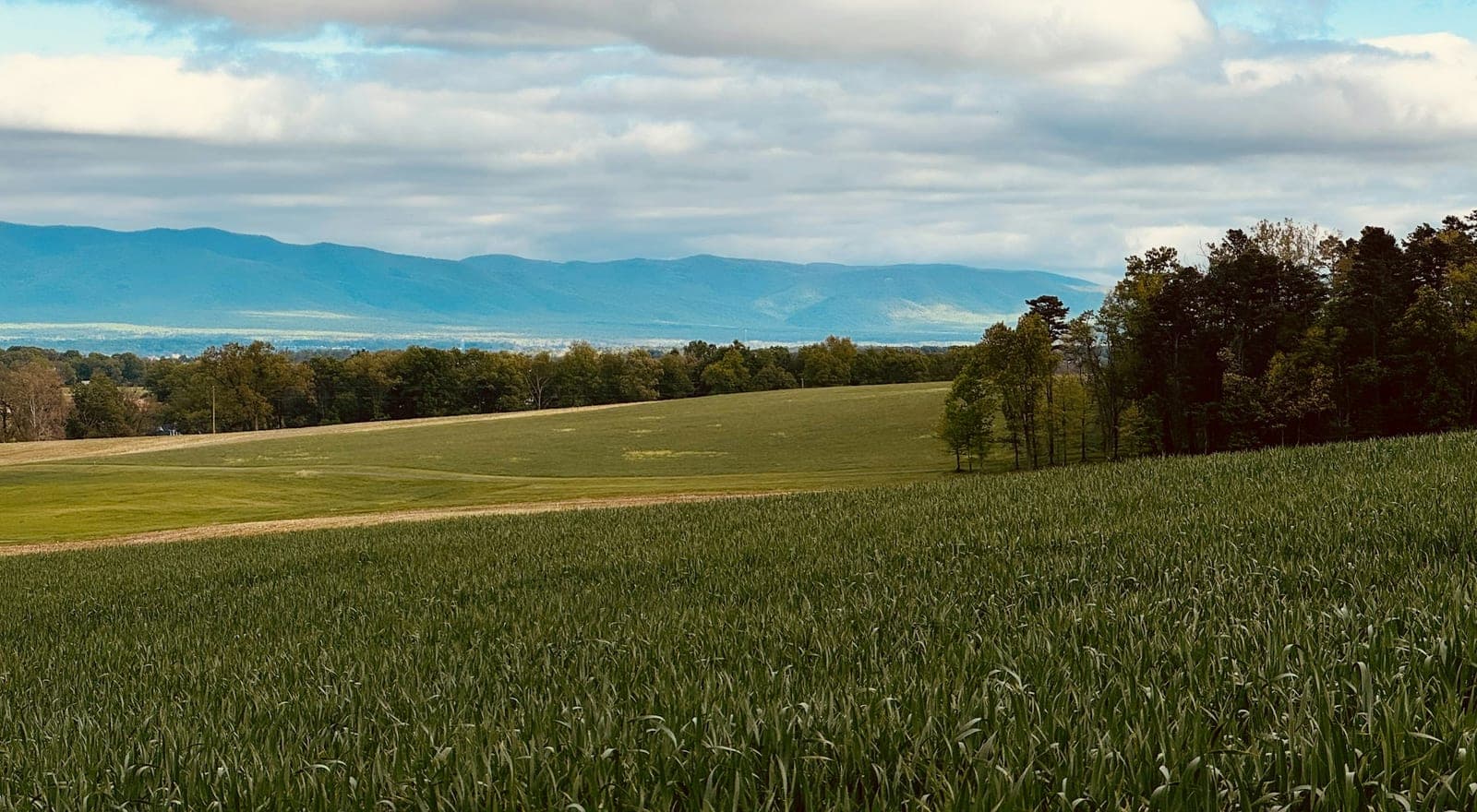
Living Carbon needed to know which landowners were worth the long road from first knock to signed contract.
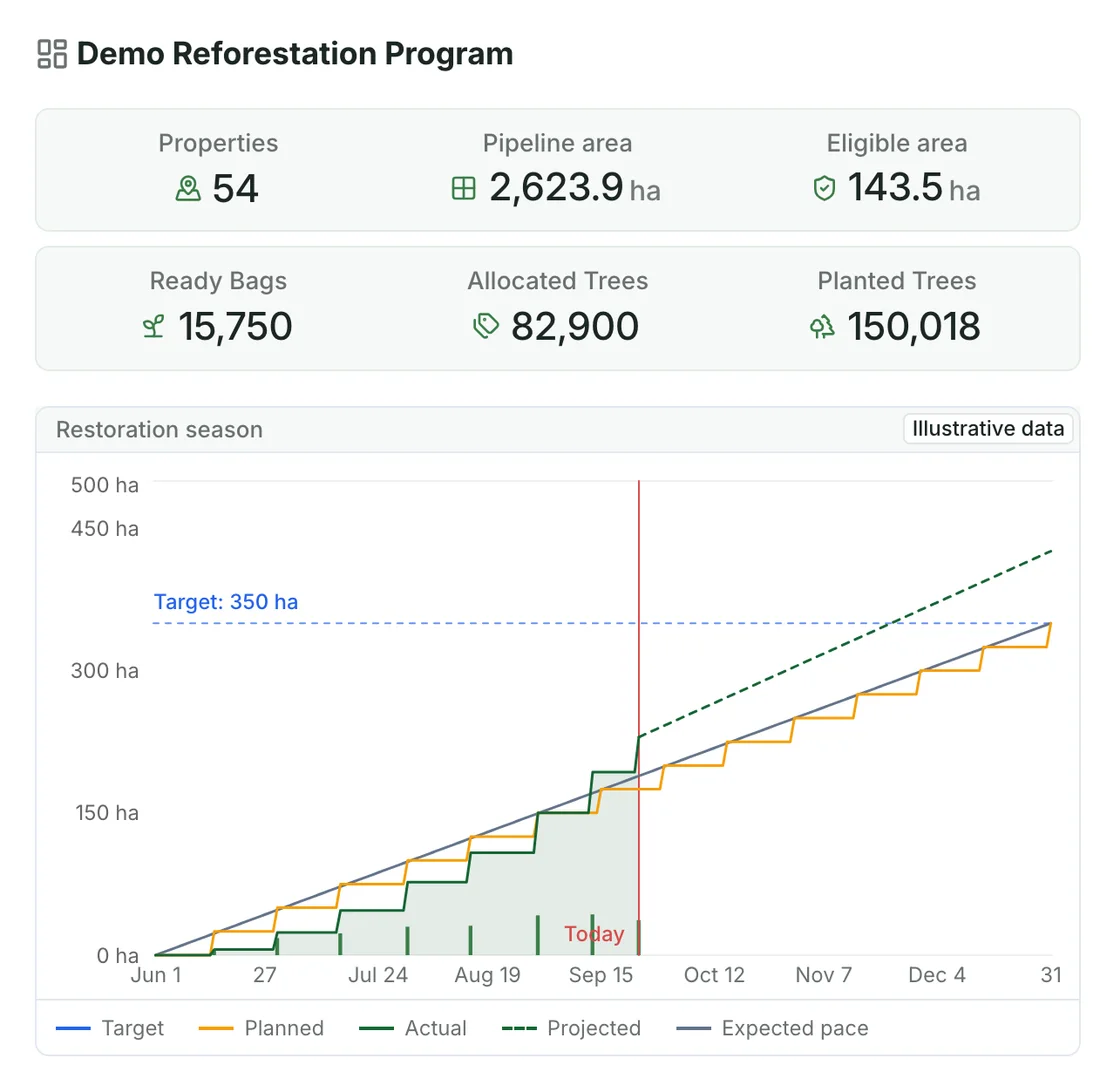
See your operations through dashboards, metrics, tables, maps, and the layouts that help you make sense of work.


Import, upload or synchronize in real time.
Learn about our data platform Excel
Excel Google Drive
 Kobo
KoboPractical mobile workflows for observations and evidence, including offline. Capture points, polygons, lines and geolocated photos. Your project context syncs automatically when connected.
See Restoration Scope Field


Your team’s time is precious. With field data flowing straight into one connected system, nobody transcribes paper sheets or builds reports by hand. And you get to make the best decisions on real-time data from the field.

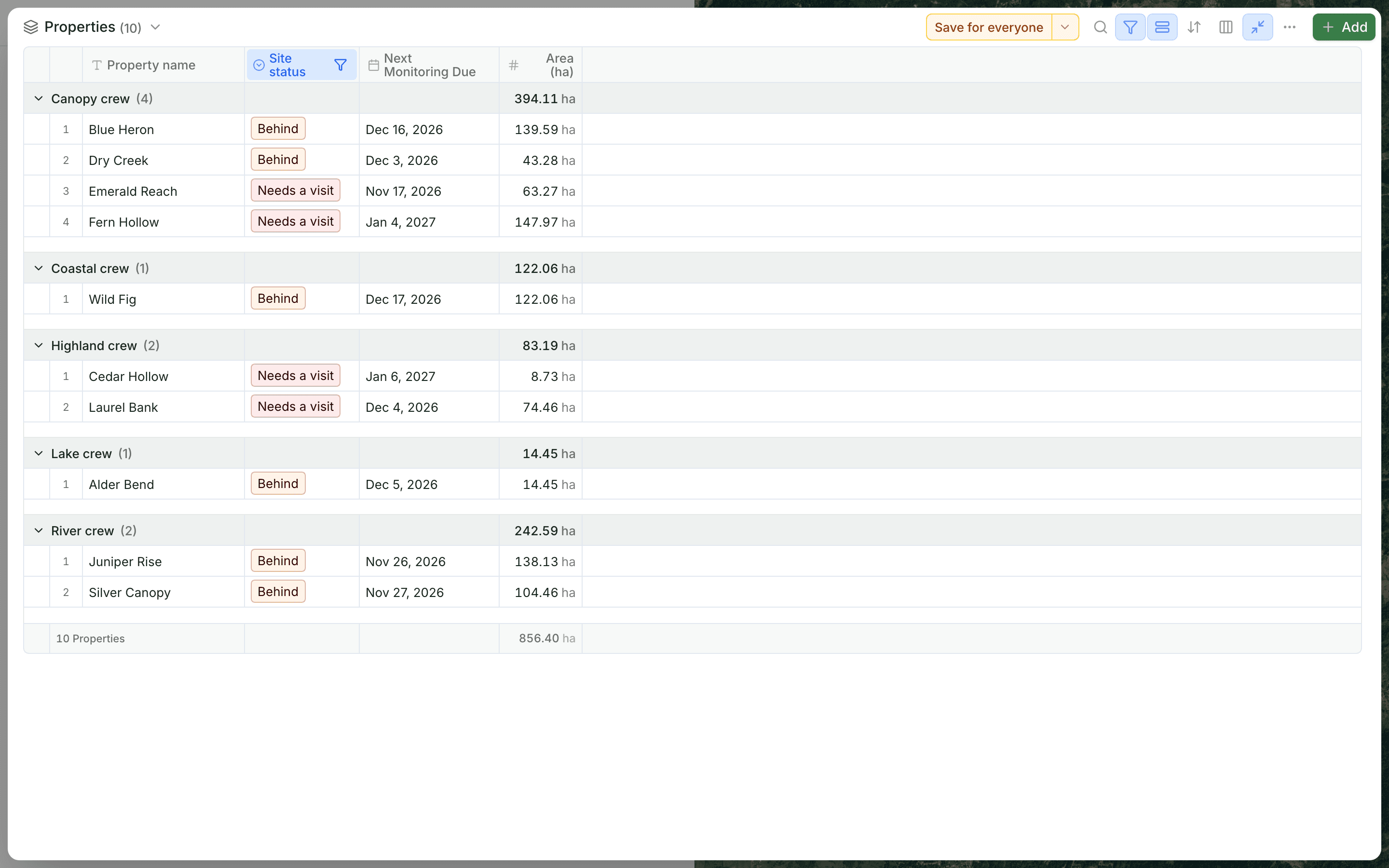
Every site on the map with its history, so you can ask why one is falling behind or why survival is lower.
See whether teams are hitting their targets while there is still time to change the plan.
Hours spent copying and checking data go back to nurseries, fieldwork and conversations with landowners.
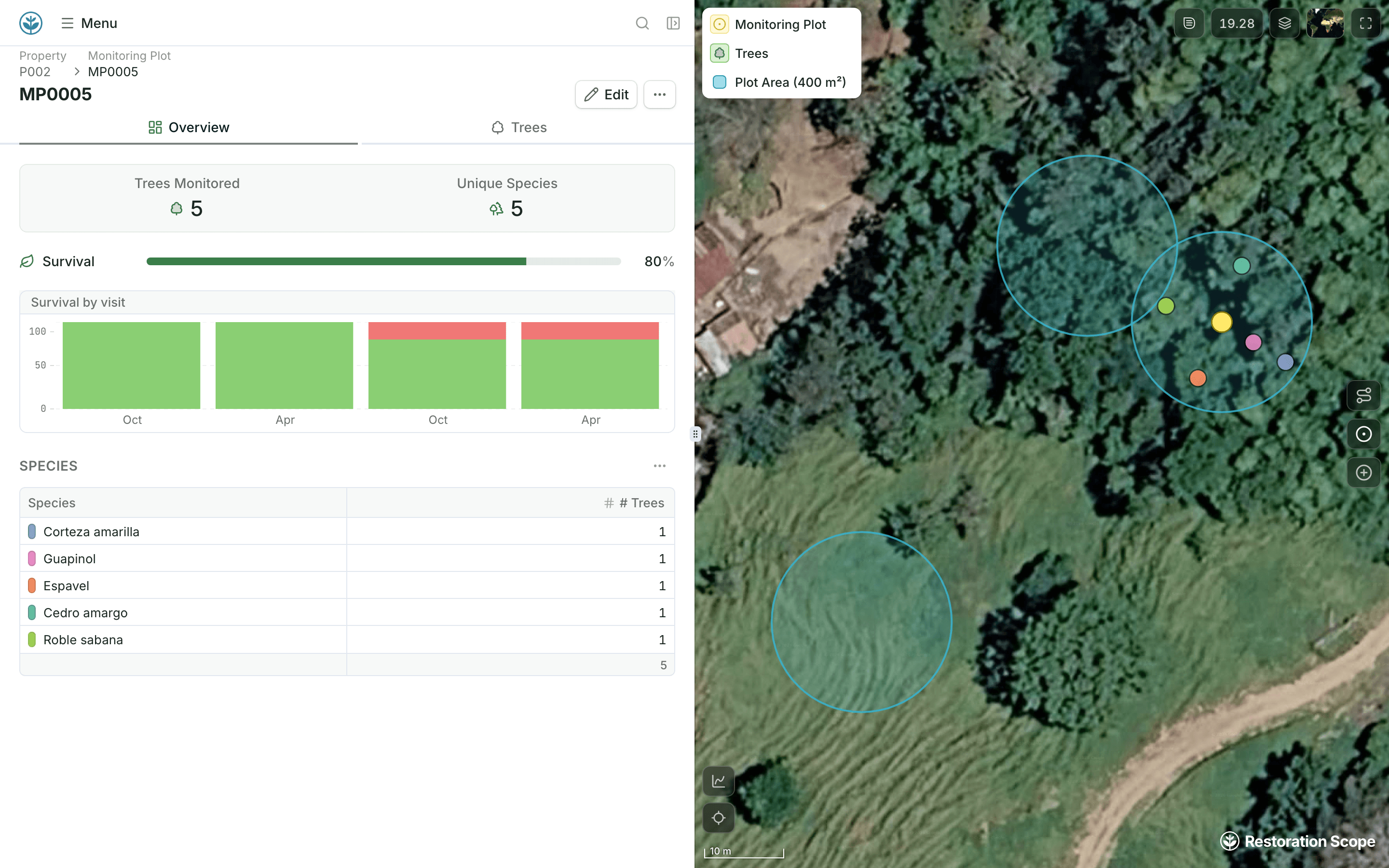
Give funders a clear view of your projects, progress and the work behind the numbers. Share maps, dashboards and field evidence through donor portals and public pages.


 Example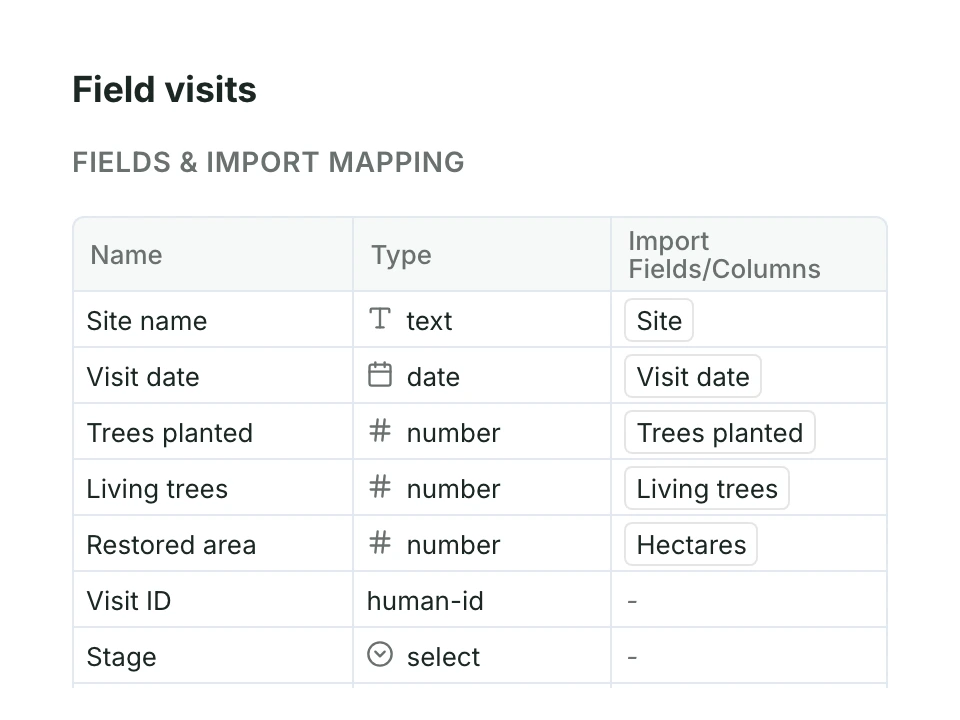
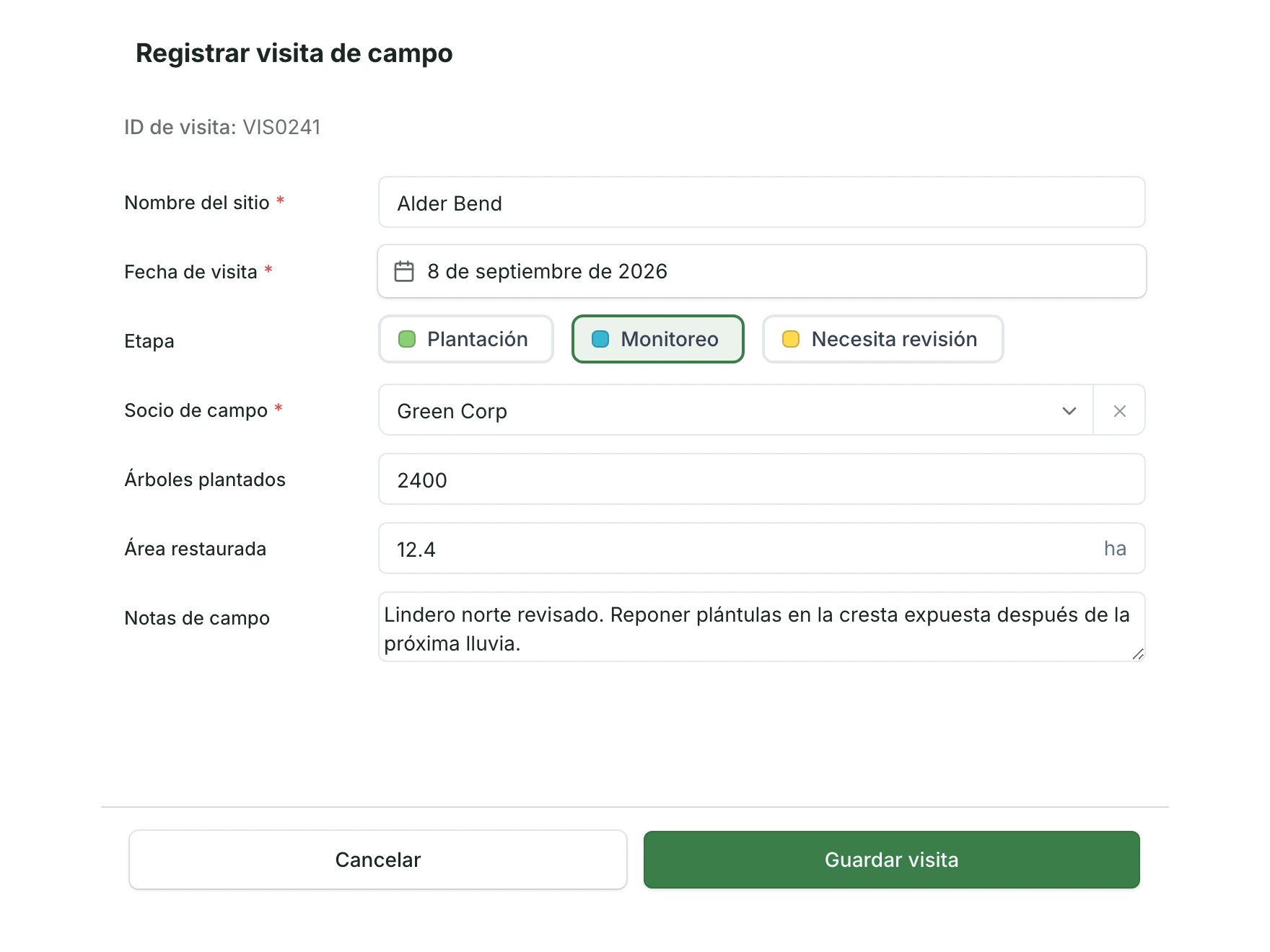
Name every field your team records, its type, and how it maps from your spreadsheets.
See Features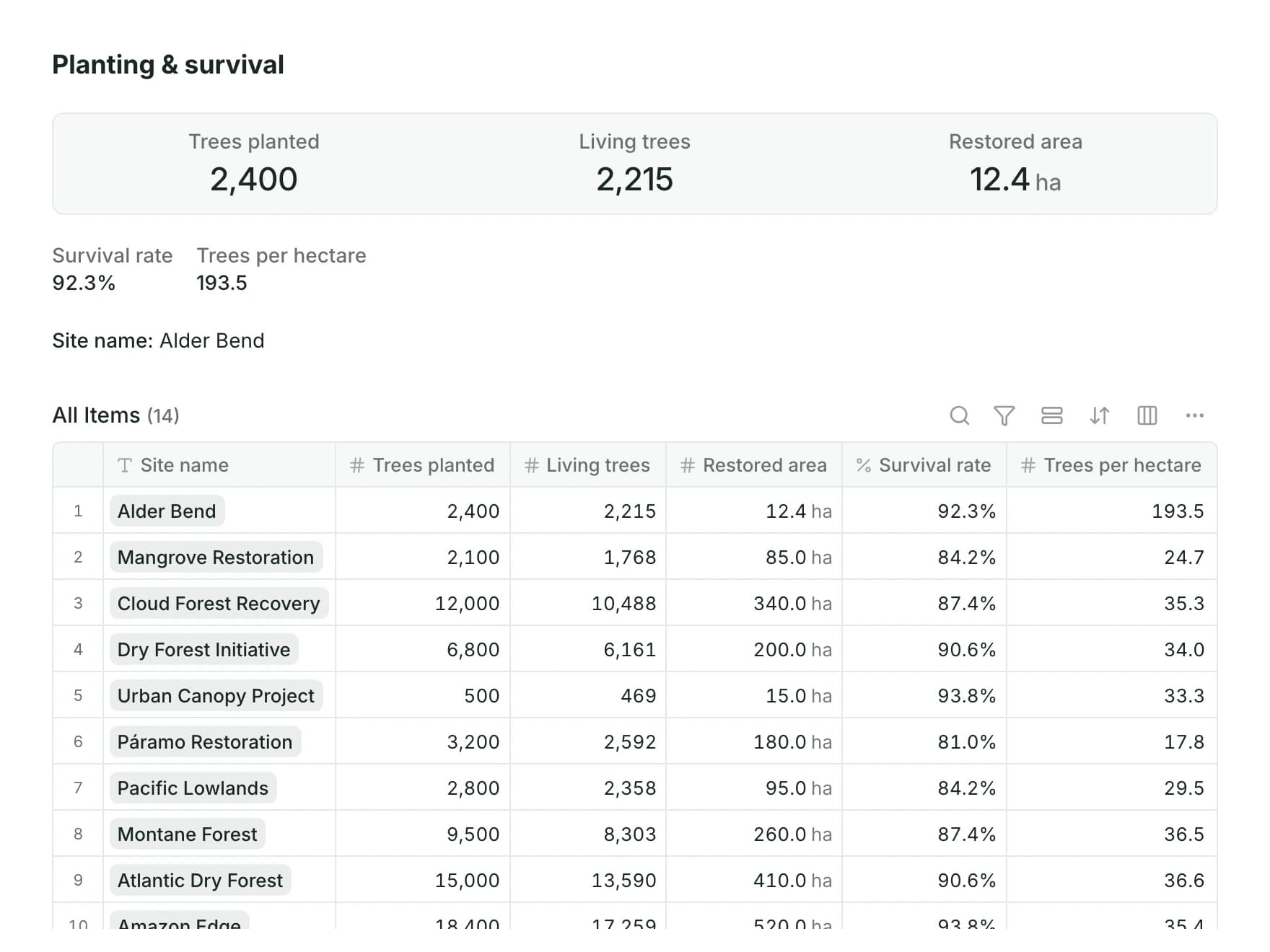
Survival rate, trees per hectare and other values, worked out from what the team records.
See Features
Activity, pace, coverage and emerging issues while the work is still happening.
See App Platform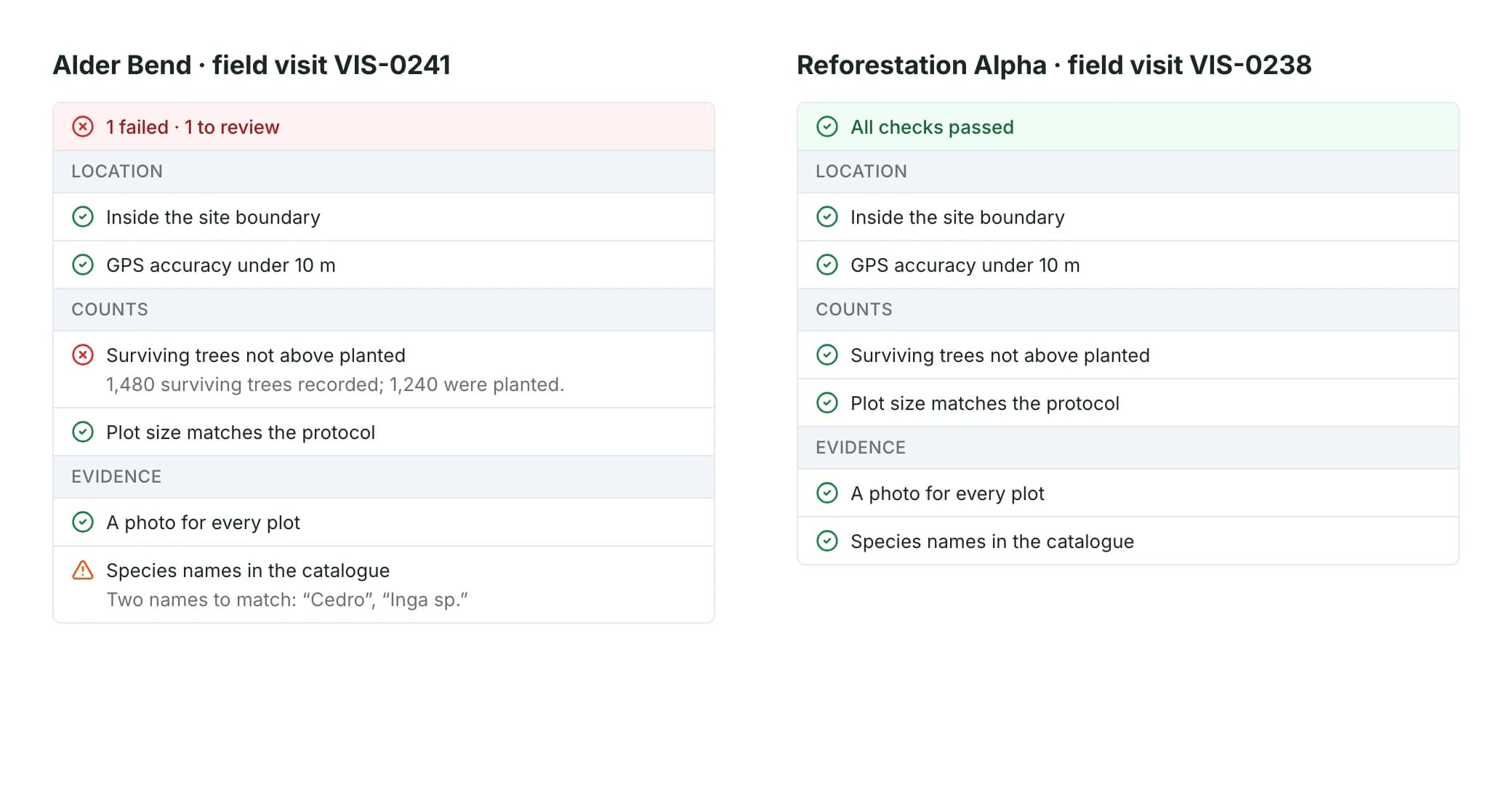
Surface missing, inconsistent or questionable information early enough to fix it.
See App Platform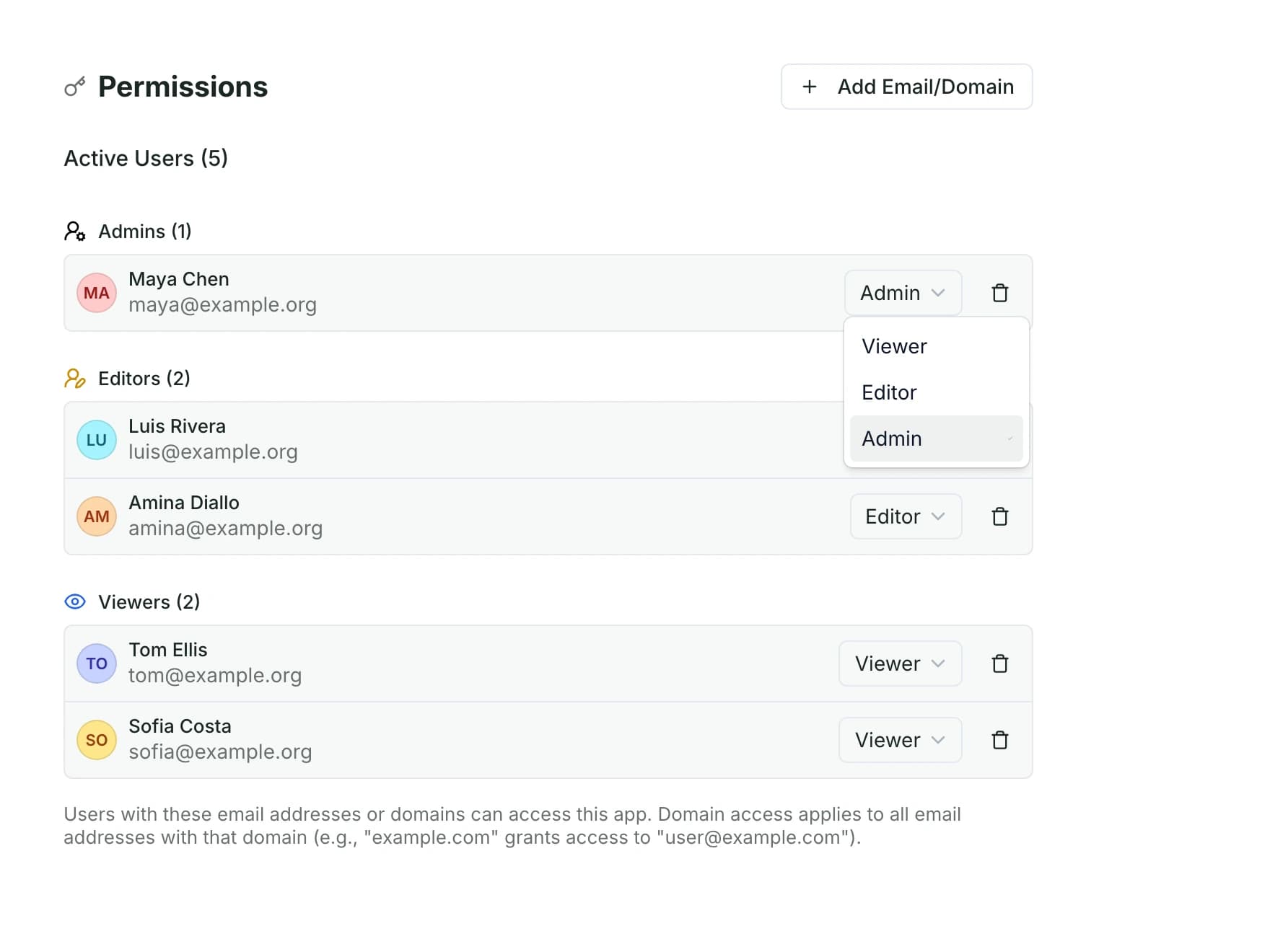
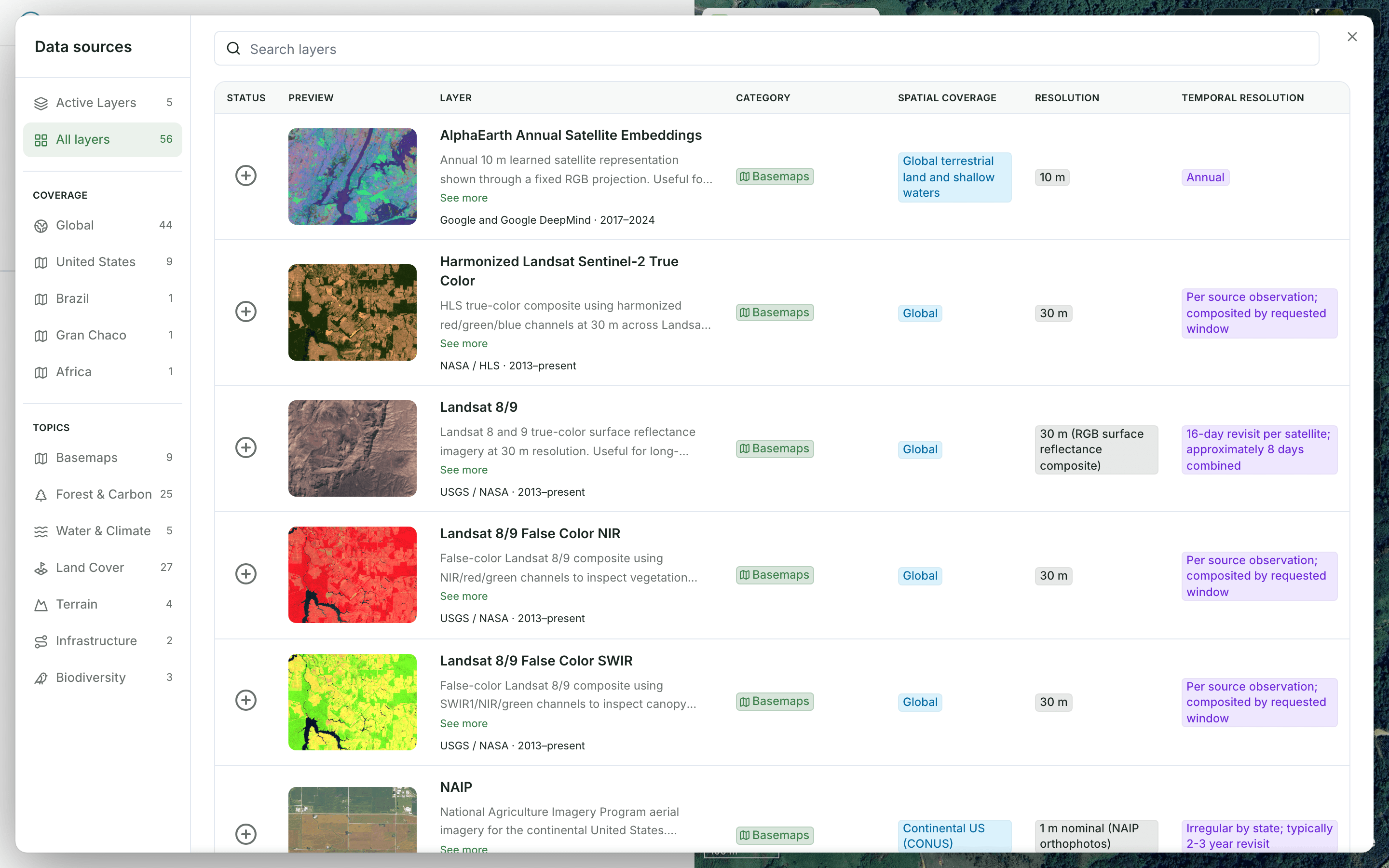
Satellite imagery, forest, land cover, terrain and climate layers, ready to add to your maps.
See Data Layers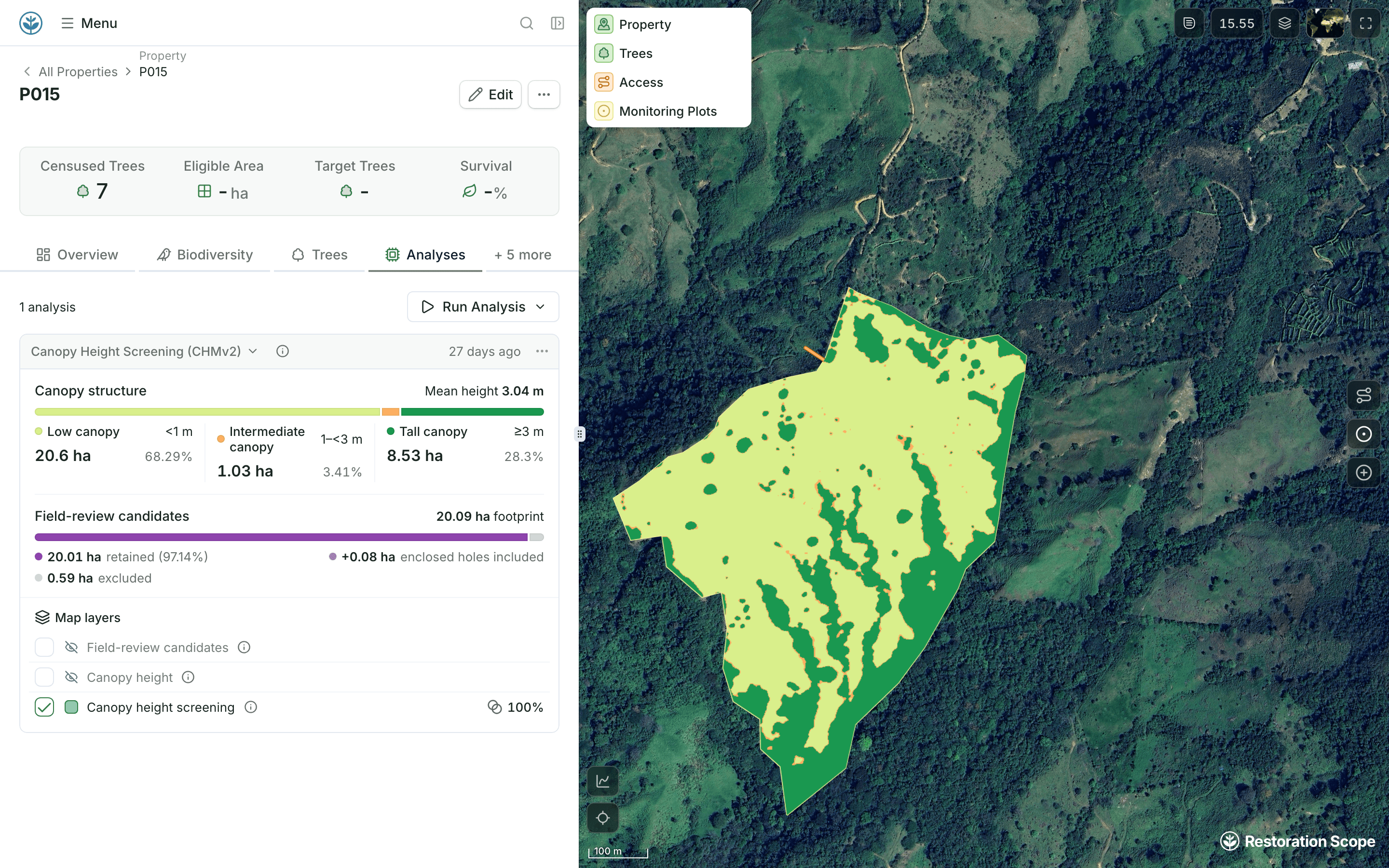
Run forest cover, canopy height and land structure analyses on each site’s boundary.
See Analyses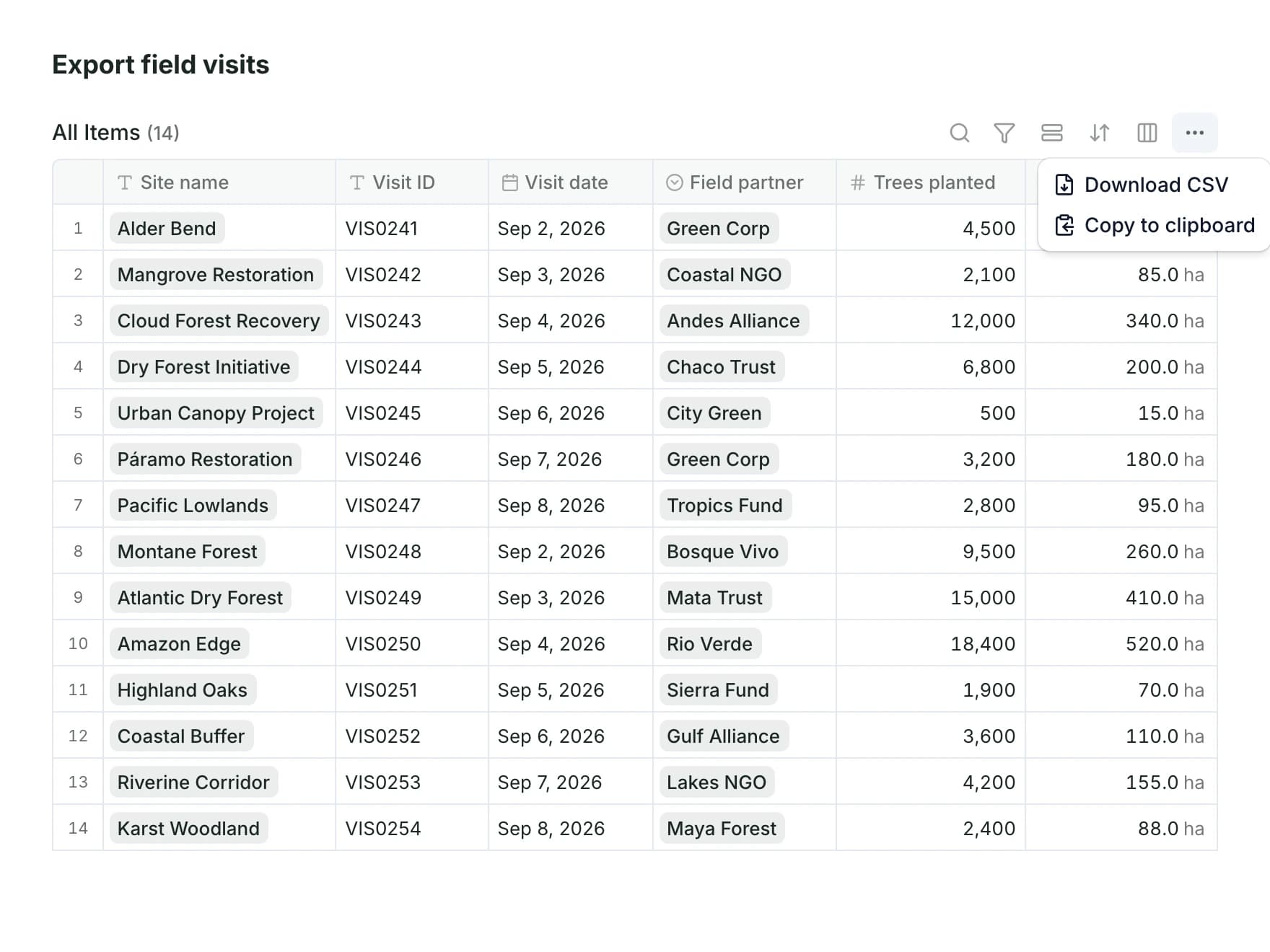
Restoration Scope is software for carbon and nature restoration projects. Teams connect field data, maps and operations in one system and share progress with funders.
Yes. Carbon developers use it for land acquisition, field operations and monitoring. The standard decides what you measure; Restoration Scope holds those records for your verifier. It does not issue or verify credits.
Yes. Excel, Google Sheets, Kobo, shapefiles, Google Drive, drone imagery and field photos come in by import, upload or scheduled sync, so your team keeps the tools it already uses.
Yes. Restoration Scope Field runs on iOS and Android, keeps working without signal and syncs records and photos when you reconnect.
Yes, when you choose. Donor portals and public pages show selected maps, dashboards and field evidence, while internal records stay restricted.
The Organization plan is a monthly platform license plus implementation, quoted after a scoping call. There are no per-user or per-hectare fees, and implementation is scoped around the modules or custom work your project needs.
Another question? Email us or book a call.
Bring in the spreadsheets, field forms and maps you already use, and see every site in one place.