How to Use Whisp for EUDR: Run a Check and Read the Results
How to screen coffee and cocoa plots with Whisp, the free FAO tool: prepare the file, run a check, read the risk flags and review a flagged plot.
Whisp is a free tool from FAO and the Forest Data Partnership that screens farm plots for deforestation risk under the EU Deforestation Regulation. You give it plot boundaries or points. It checks each one against public maps of tree cover in 2020, commodity crops and forest disturbance, and returns a risk flag per plot. This guide shows how to prepare the file, run a check, read the flags for coffee and cocoa, and review a plot Whisp flags.
It's written for the cooperative, exporter and due diligence teams who screen plots before a statement is filed. Whisp screens; it doesn't give a compliance verdict, and the operator stays responsible for the result.
Checked October 24, 2026: against the Whisp web app (version 2.3.1, analysis library 3.0.0a22), its documentation on GitHub and the Commission's
FAQ. Whisp changes often; its
release notes list what's new.
What does Whisp check?
For crops, Whisp answers four yes-or-no questions about each plot from public datasets (layers):
- Was there tree cover in 2020? From the EU's JRC Global Forest Cover 2020 map and other forest maps.
- Was a commodity crop already there in 2020? From coffee, cocoa and other crop maps.
- Was there disturbance up to the end of 2020?
- Was there disturbance after 2020? From tree-cover loss, deforestation alerts and fire data.
A question counts as yes when more than 10% of a polygon is covered, or more than 50% for crops and disturbance up to the end of 2020. A point counts as yes when the map shows the feature at that spot.
Whisp combines the answers into one risk per kind of commodity: risk_pcrop for perennial crops (coffee, cocoa, rubber, oil palm), risk_acrop for annual crops such as soy, and risk_timber. Every check returns all three; you read the one for your commodity.
How do you prepare a plot file for Whisp?
- Use GeoJSON or WKT. The web app takes a
.geojson,.jsonor.txtfile, pasted text or plots drawn on its map. It doesn't take KML, shapefiles or spreadsheets. - Use WGS84 (EPSG:4326), the same as the EU Information System.
- Points or polygons. A single point is enough for a plot of 4 hectares or less; larger plots need their boundary.
- Keep your own plot ID as a property, so the results match your plot list.
- Stay under the limits: 10,000 plots per job and 10 MB per request.
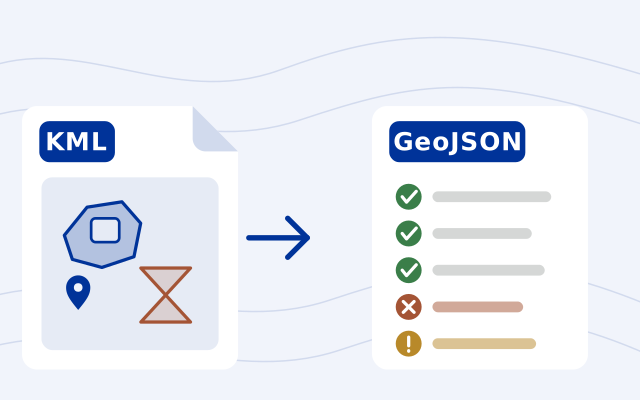
A file that's ready for the Information System usually works in Whisp too, within the limits above. Our free  EUDR plot file checker turns KML, shapefiles or a spreadsheet of coordinates into that GeoJSON and fixes the common errors first; so does
 GeoRoots.
How do you run a check in the Whisp web app?
- Open
whisp.openforis.org on the Submit Geometry tab. The app is in English, Spanish, French and Portuguese.
- Upload the file, paste the GeoJSON or WKT, or draw plots on the map.
- Open Analysis options if you need them: pick your plot ID as the External ID column, or add national datasets for Brazil, Cameroon, Colombia or Côte d'Ivoire.
- Press Run Analysis. The results page shows a risk overview, a breakdown and the path each plot took to its flag.
- Download the results as CSV or GeoJSON and save them. Whisp keeps results only for a while.
For larger or repeated checks, Whisp also has an API with a free key, a Python package that needs your own Google Earth Engine project, and a QGIS plugin.
How do you read Whisp's results for coffee and cocoa?
Read risk_pcrop. It takes one of three values, from what the maps show:
| Value | When Whisp gives it | What to do |
|---|---|---|
low | No tree cover in 2020, or a crop already there by 2020, or disturbance up to the end of 2020 | Keep the result with the plot's record |
more_info_needed | Tree cover in 2020, with no crop mapped and no disturbance | Review the plot: often coffee or cocoa under shade |
high | Tree cover in 2020 and disturbance after 2020, with no crop or earlier disturbance mapped | Treat it as possible deforestation after the cutoff and review it before the plot goes into a statement |
Perennial crops get their own rule because coffee and cocoa are often grown under trees. Mapped disturbance up to the end of 2020 gives a low flag, because it may mark the crop being planted before the cutoff; it doesn't prove when the land was cleared. For annual crops, that earlier disturbance doesn't count.
Plots checked before October 2026 may read differently now. Whisp moved to version 4 of the JRC 2020 map, which shows less forest in tree-crop landscapes, and raised the crop threshold to 50% (changelog). Run them again before relying on an old result.
What do you do with a flagged plot?
Whisp's own site says only that "more information needed" marks areas that need further investigation. This is the order we suggest:
- Check the boundary first. A point in the wrong place or a polygon that drifts into the neighbour's forest gets the wrong flag. Correct a point's coordinates in your source file or field app, or a polygon's corners in the plot file checker, then run the plot again.
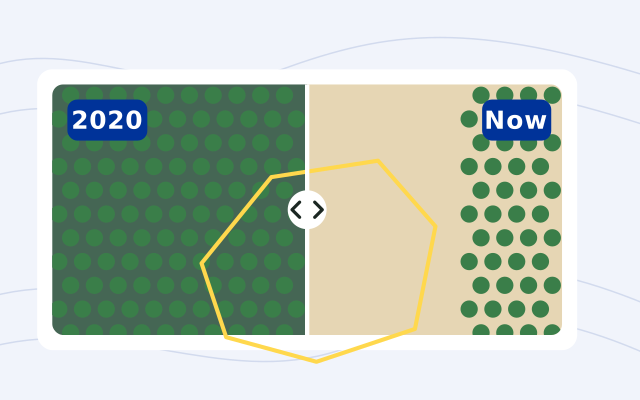
- Look at imagery from before and after 2020. Our free EUDR plot viewer shows each plot in late 2020 and in the last six months, side by side. Its 10 m Sentinel-2 pictures won't show single trees, so use finer imagery when the answer is close.
- Ask the field. The producer and the field team know when the plot was planted, whether shade trees were kept and what was there before. A visit with photos adds evidence; set it beside imagery or records from before the cutoff.
- Keep the evidence with the plot. The Whisp result and its date, the imagery and the visit notes belong in the plot's record. Then your team decides whether the plot goes into a statement, and the next check starts from that record.
The EU map isn't the last word either: the Commission's FAQ calls the JRC 2020 map non-mandatory, and a plot inside mapped forest is not automatically non-compliant.
Where does Restoration Scope fit?
Restoration Scope builds digital infrastructure for nature projects: software for carbon and nature restoration projects that connects each team's field data, maps and workflows in one system. For screening, that means each plot keeps its boundary over 2020 imagery and forest maps, the review status your team sets, and the field visits that help review a flagged plot. We don't run Whisp for you or give a compliance verdict; your team makes the call.
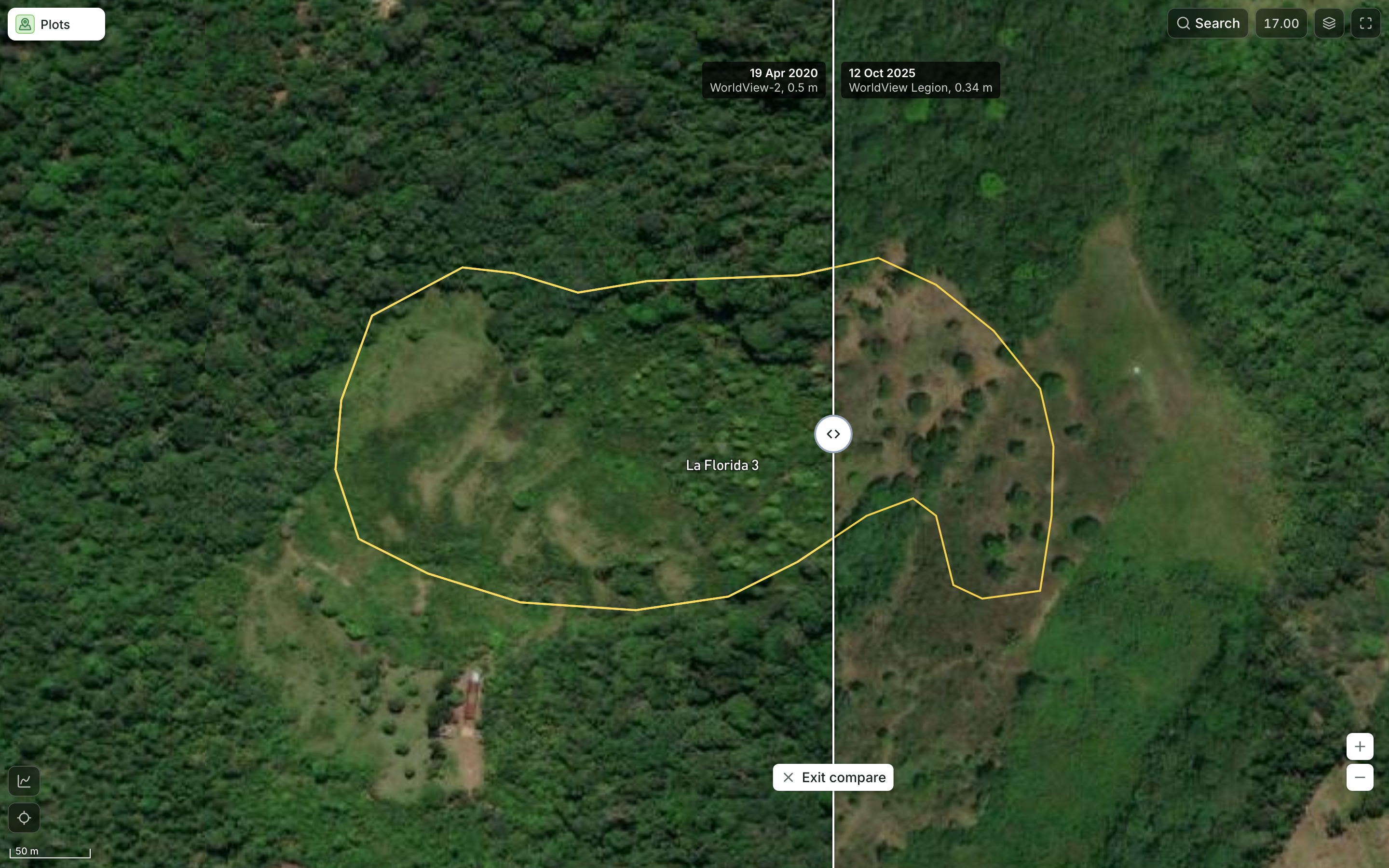
The same plot in April 2020 and October 2025.
One coffee plot outlined on satellite imagery from April 2020 and October 2025, split by a swipe divider, so the team can see what changed before setting its review status. Demo cooperative: producers, plot records, risk cases and field visits are made up, and deforestation statuses, check results and cutoff figures are not computed by Restoration Scope. Plot locations, map layers and imagery are real.
For the tools at every other step, from mapping plots to filing, see tools for EUDR geolocation data. The EUDR compliance checklist puts screening in the order of the whole due diligence.
Learn everything about the EUDR
From what the regulation asks to mapping plots, tracing lots and reviewing the evidence, in the order teams need it.
Review the evidence
- GuideEUDR compliance checklist
- GuideScreening plots with WhispYou’re reading this
- Free toolPlot imagery viewer
- ProductDeforestation evidence
- ProductData quality
See it workingUp next
Frequently asked questions
Is Whisp free?
Yes. Whisp is open source, from FAO and the Forest Data Partnership, and shows no fee. The web app opens without signing in; the API needs a free account and key.
Does a low Whisp risk mean a plot complies with the EUDR?
No. Whisp screens plots against public maps; it doesn't give a compliance verdict. The operator stays responsible for its due diligence, and the Commission's FAQ says the EU's own 2020 forest map isn't conclusive either. Keep the result as one piece of evidence in the plot's record.
Which Whisp risk column applies to coffee and cocoa?
The perennial crops column, risk_pcrop. Whisp's documentation puts coffee, cocoa, rubber and oil palm there. Soy reads risk_acrop and timber risk_timber.
What does "more_info_needed" mean in Whisp?
The plot had tree cover in 2020, and the maps show neither a crop already there nor a disturbance. Whisp's documentation says this can be coffee or cocoa grown under shade or agroforestry. It needs a closer look, not an automatic rejection.
How many plots can Whisp check at once?
Up to 10,000 plots per job in the web app, in a request of up to 10 MB. The API's quick synchronous check takes up to 500 (config, checked October 24, 2026).
Does Whisp accept KML, shapefiles or spreadsheets?
Not in the web app. It takes GeoJSON, WKT pasted or in a .txt file, or plots drawn on its map, in WGS84. Convert other files first, for example with the free EUDR plot file checker.
Another question? Email us or book a call.
Based on the official EU texts. See our EUDR sources, with the version we follow and the day we last checked each one.